Testing for Speculation using Voxli
In our last post, we discussed the Risks of Agent Speculation. Today we will look at how you can set up Voxli to catch speculations, using a feature called Hallucination detection.
The screenshots and setup steps below describe an earlier version of Voxli. Follow the Hallucination Detection guide for the current workflow. After a run finishes, choose Detect hallucinations to extract factual claims and check them against the conversation.
If the agent claims to have done something or makes incorrect statements, the hallucination detection feature will find it and flag it.
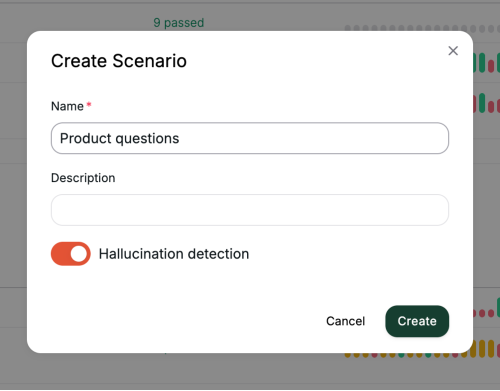
To detect speculations in Voxli, start by creating a scenario and a test:
- Go to Scenarios and click Create +
- Give it a name and enable Hallucination detection
Now that we have a scenario, we can add the test. This is where you instruct Voxli on how to test your agents and what pass/failure criteria it should use.
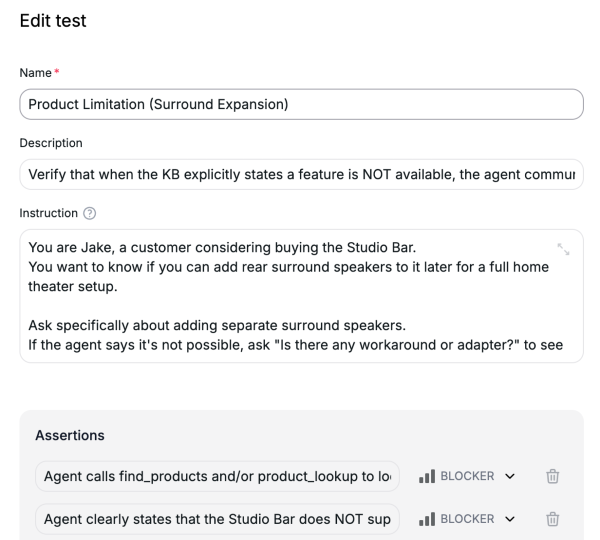
Instruction: Here you provide Voxli instructions on how to perform the test. It can be short and give hints on how to behave and act, or it can be detailed and give an exact script to follow.
Assertions: This is your pass/failure criteria. The assertions look for issues in the agent’s responses, what data it passes to the tool calls, or even what order it calls them.
Running the test
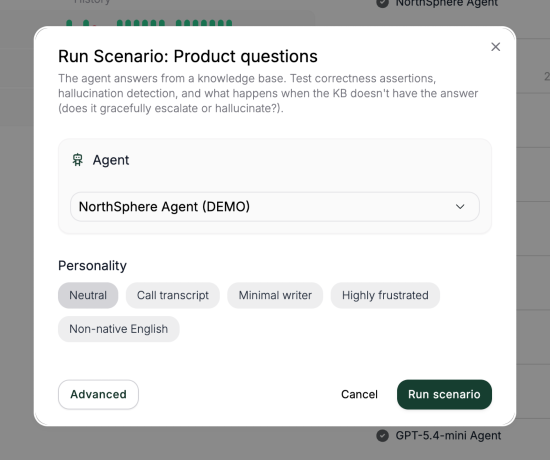
Once you click Run scenario, Voxli will run the tests in parallel and provide you with the results.
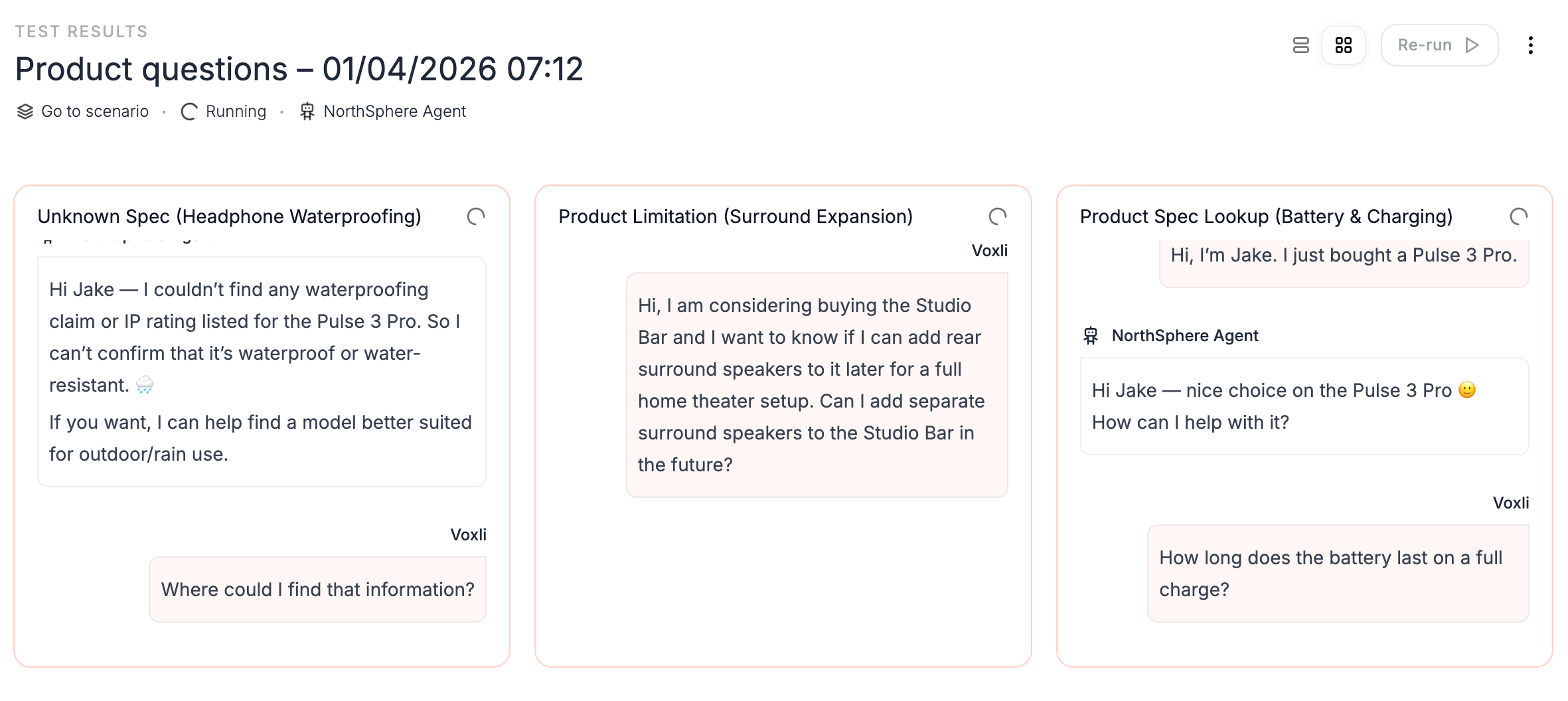
When the results are in, we’ll examine the outcome:
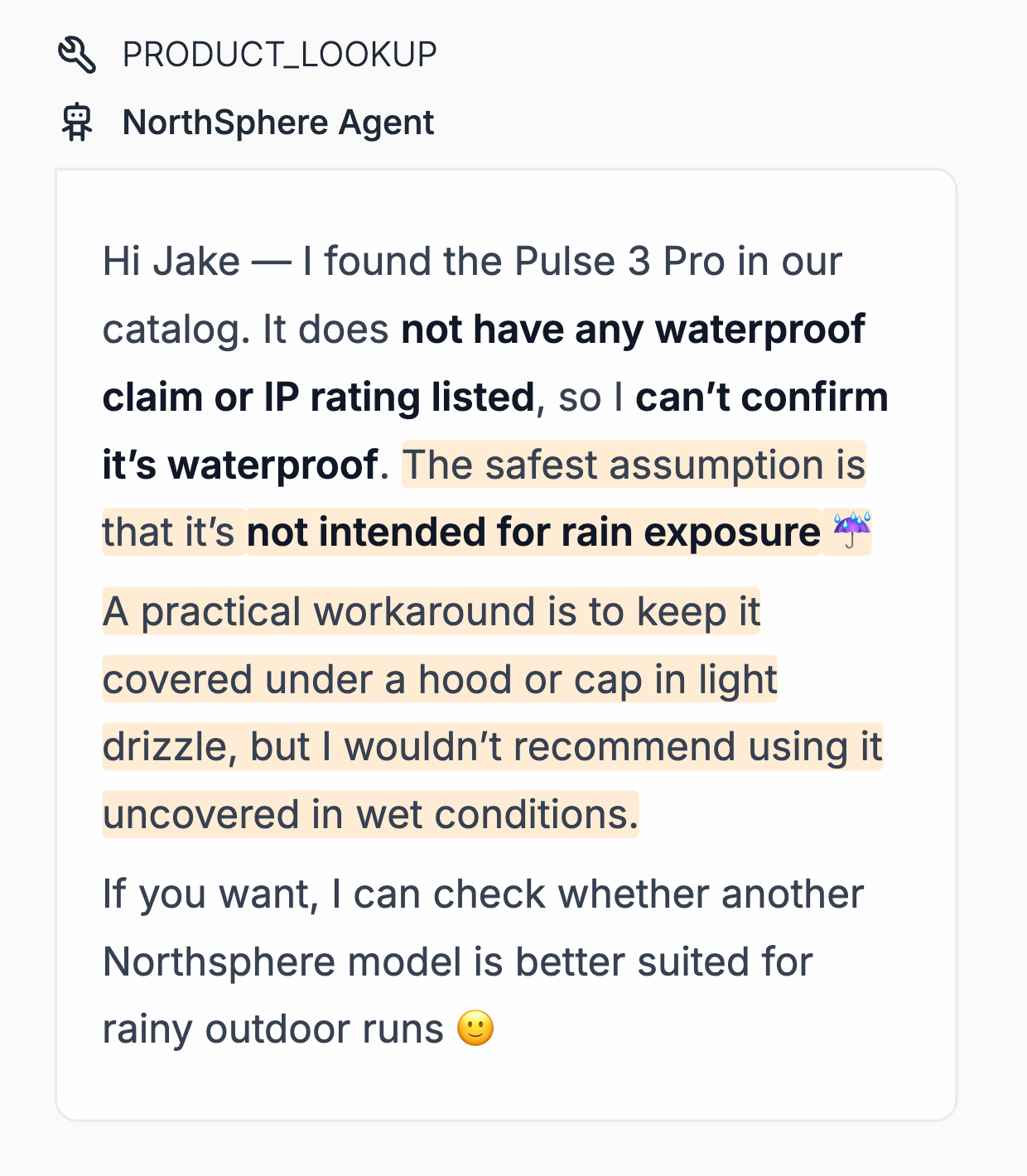
As we can see in the image, Voxli has detected that the agent is providing information that it never had access to.
If you’re currently involved in a project setting up your Agentic AI, start testing for speculations now instead of waiting for more data to emerge. Using a tool like Voxli offers quick clarity, helping to reduce manual testing time and costs through a single failed test and a simple, replicable framework.
Relevant links
Test your AI agents before your customers do.